


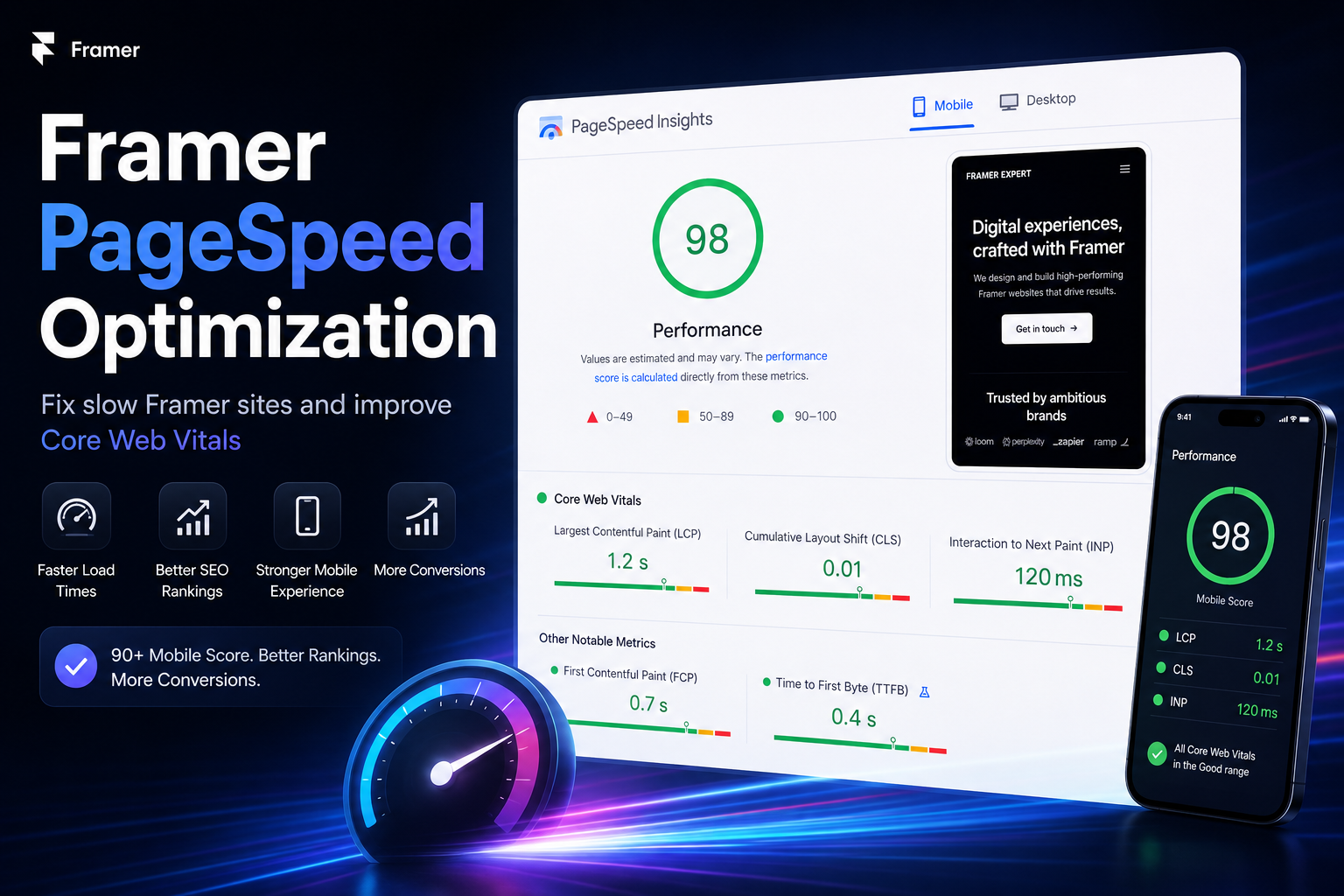
Author: We Optimizz - Framer SEO and performance specialists
Last updated: May 2026
Quick answer: Framer websites can be fast, but real business sites often score poorly on PageSpeed due to heavy animations, unoptimized images, custom fonts, and third-party scripts. Fixing Framer performance requires optimizing images, reducing JavaScript, deferring non-critical assets, and measuring regularly with Google PageSpeed Insights and Lighthouse.
Framer PageSpeed Optimization is the process of making a Framer website load faster, pass Core Web Vitals and convert more visitors on mobile. Framer sites can be fast, but real business builds often slow down because of oversized images, heavy animations, custom fonts, tracking scripts and CMS content.
In practice, Framer speed optimization comes down to reducing page weight, improving Core Web Vitals and keeping animations, scripts and CMS templates under control.
Use this guide to find the bottleneck first. Then fix the parts that actually move your mobile score: images, animations, fonts, scripts and CMS templates.
We have built and optimized Framer websites for service businesses across multiple markets, so we know where performance usually breaks: images, animations, scripts, fonts and CMS templates.
TL;DR: Framer PageSpeed Optimization
Framer websites can load fast, but performance drops when teams add large images, heavy animations, custom fonts, third-party scripts and unoptimized CMS content. The biggest wins usually come from resizing images to the correct dimensions, exporting as WebP, reducing scroll animations to the hero section, deferring non-critical scripts, limiting font weights and testing on mobile with Google PageSpeed Insights. A strong Framer performance target is a 90+ mobile PageSpeed score, stable Core Web Vitals (LCP under 2.5s, CLS below 0.1, INP under 200ms) and a page that still feels fast on mid-range mobile devices.
Want to know what is slowing down your Framer site? Get a free Framer PageSpeed scan. We check your mobile score, Core Web Vitals, image weight, scripts and CMS setup - then send you the 3 fixes with the biggest impact. Get my free Framer speed scan
Why Framer PageSpeed Matters for SEO and Conversions
Google's own Search Central documentation describes Core Web Vitals as real-world user experience metrics for loading speed, interactivity and visual stability. The current Core Web Vitals are LCP, CLS and INP. (Google for Developers)
Slow Framer pages create two problems at once: they weaken page experience signals and reduce the chance that visitors stay long enough to convert. Core Web Vitals are not the only ranking factor, but poor LCP, CLS or INP can make an otherwise strong page harder to rank and harder to sell from.
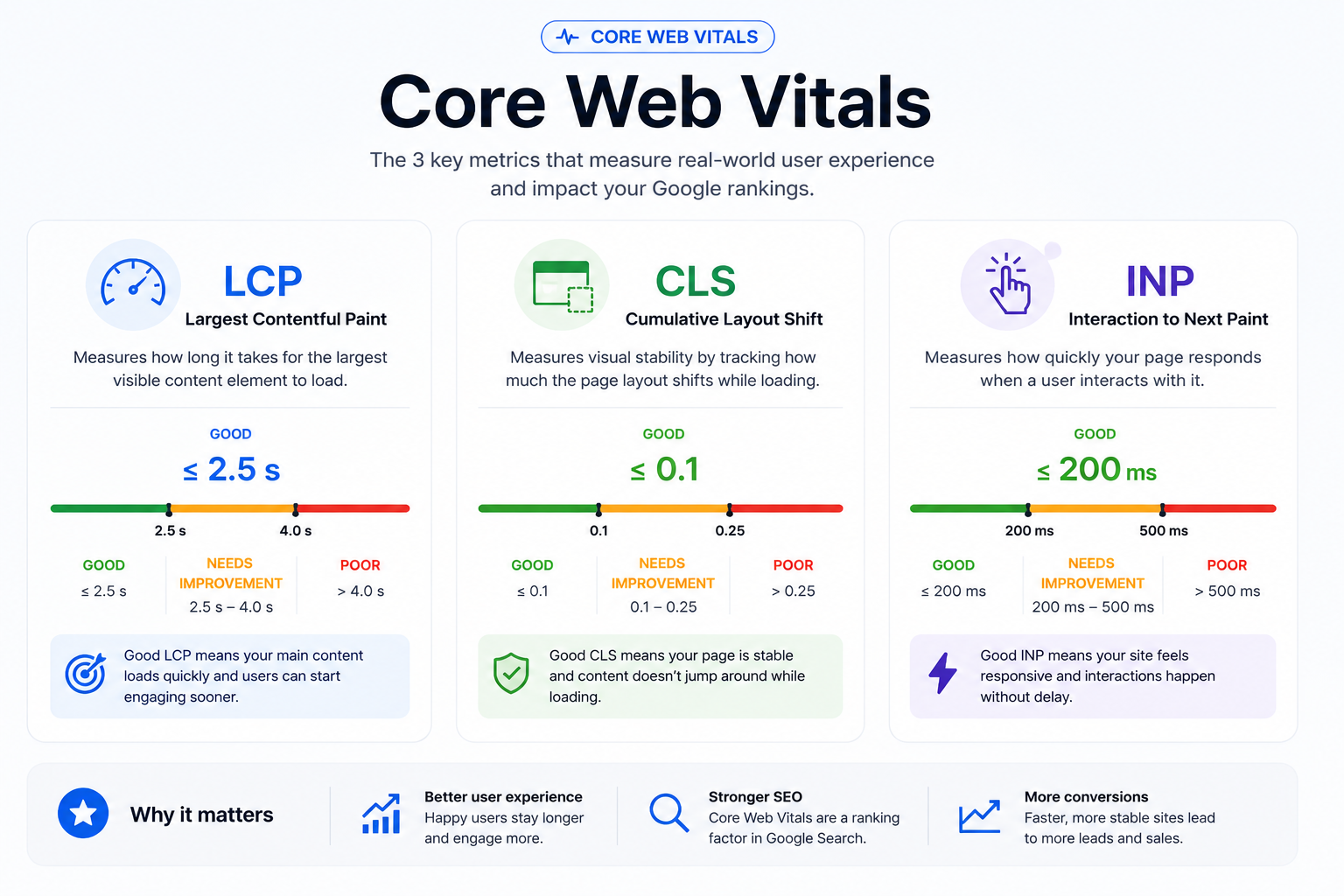
The three metrics that matter most:
LCP (Largest Contentful Paint):
How long it takes for the largest visible element - usually the hero image or headline - to load. Google's threshold is under 2.5 seconds.
CLS (Cumulative Layout Shift):
How much the page jumps around while loading. Fonts swapping in, images without reserved dimensions, and late-loading embeds all cause CLS. Google's threshold is a score below 0.1.
INP (Interaction to Next Paint):
How quickly the page responds after a user clicks or taps. Google's threshold is under 200ms. (web.dev)
Google and Deloitte research found that a 0.1-second improvement in mobile site speed can influence conversion performance, with reported conversion lifts of 8% for retail and 10% for travel sites. (Think with Google) Do not treat that as a fixed formula. Treat it as a warning: every slow landing page makes your SEO, ads and outreach work harder.
For the full technical picture, read our Framer SEO guide to see how PageSpeed, Core Web Vitals, metadata, indexing and site structure work together.
Is Framer Fast by Default?
Short answer: Framer can be fast by default, but real-world Framer websites often slow down when teams add large images, advanced animations, third-party scripts, custom fonts and CMS content without a performance workflow.
Framer's core framework is genuinely well-optimized. Pages built with basic layouts, minimal scripts, and Framer's native components perform well out of the box. That is why demo sites and template previews score in the 90s.
Real business websites are different. The moment you add:
Scroll-triggered animations on every section
Custom Google Fonts with multiple weights
Embedded YouTube or Vimeo videos
Google Analytics, Meta Pixel, or Hotjar
A CMS with unoptimized images
Third-party chat widgets or cookie banners
...your PageSpeed score starts dropping. Some of these elements are unavoidable. But most of the damage is preventable if performance is considered during the build, not after.
A platform does not make a site fast by itself. The build does.
Your Framer site should not need a rebuild to feel faster. Send us your URL and we will identify the biggest PageSpeed bottlenecks before you spend money on ads, outreach or a full redesign. Check my Framer site speed
How to Check Your Framer Website's PageSpeed Score
Before you fix anything, measure it. Use these three tools:
Google PageSpeed Insights
(pagespeed.web.dev) Enter your URL and get a score from 0 to 100 for both mobile and desktop, with specific diagnostics. This is the most important tool because it uses real-world Chrome user data alongside lab data.
Lighthouse in Chrome DevTools
Open Chrome, right-click, Inspect, navigate to the Lighthouse tab, and run an audit. Gives you the same metrics with more granular recommendations.
GTmetrix
Useful for waterfall analysis: it shows you which specific files are taking the longest to load and in what order.
A good target for a business Framer site is 90+ on mobile. Desktop scores are typically easier to achieve. Mobile is what matters most because Google uses mobile-first indexing - it crawls and ranks your mobile experience, not desktop.
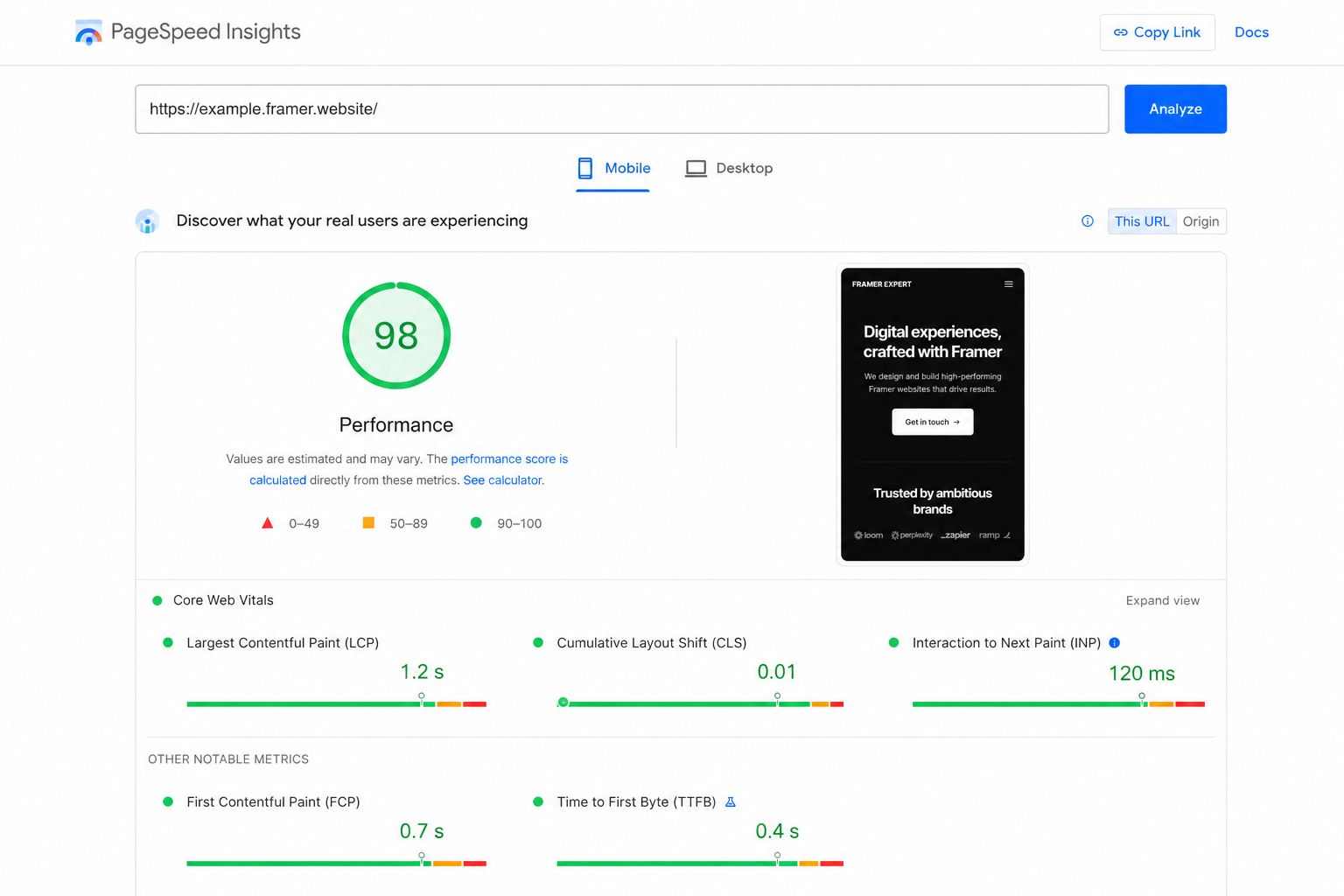
If your current score is below 70 on mobile, you have a genuine SEO and conversion problem worth addressing before running any paid traffic or outreach.
The Most Common Framer PageSpeed Issues (and How to Fix Them)
Short answer: The most common Framer PageSpeed issues are oversized images, excessive animations, render-blocking third-party scripts, heavy font files and CMS templates that load too much content at once.
Start here. These are the issues that slow down most real Framer sites.
Issue Overview
Issue | Symptom | Fix | Difficulty |
Unoptimized images | High LCP, slow load | WebP + resize + lazy load | Easy |
Heavy animations | Poor INP, slow TTI | Limit to hero only | Medium |
Custom font overload | CLS, delayed render | Max 2 weights + preload | Easy |
Third-party scripts | High TBT, slow INP | Async loading + audit | Medium |
Render-blocking JS | High FCP delay | Defer/async + move to footer | Advanced |
Unoptimized CMS images | Slow CMS pages | WebP workflow per collection | Easy |
Unoptimized Images
Images are the single biggest cause of slow Framer sites. Uploading full-resolution JPGs or PNGs directly from your camera or design tool is the most common mistake.
What to do:
Export all images as WebP before uploading. WebP is typically 25–35% smaller than JPEG at the same visual quality.
Resize images to the maximum display size before uploading. A hero image displayed at 1440px wide does not need to be a 4000px source file.
Use Framer's built-in lazy loading for images that appear below the fold.
For the hero image - the one that determines your LCP - do not lazy-load it. It needs to load as early as possible.
Heavy Animations and Interactions
Framer gives designers a lot of control, especially for visual layouts, animations and fast landing page builds. But scroll-triggered animations on every section, parallax effects, 3D transforms, and complex entrance animations all increase JavaScript execution time and delay interactivity.
What to do:
Limit scroll-triggered animations to the hero section and one or two high-impact areas. Keep the rest of the page static or use simple CSS transitions.
Avoid parallax effects on mobile - they are computationally expensive and rarely add commercial value.
Test your site on a mid-range Android device, not just a high-spec laptop. That is closer to how many of your actual visitors will experience it.
Custom Font Loading
Custom fonts improve brand consistency but can cause layout shift (CLS) and delayed rendering if not handled correctly.
What to do:
Limit font weights to a maximum of two per typeface. Loading Regular and Bold covers most needs. Adding Light, Medium, SemiBold and ExtraBold for a single font quadruples the font payload.
Preload your primary body font so it renders immediately rather than causing a flash of unstyled text.
Set a system font stack as a fallback in your CSS so the layout does not shift dramatically while the custom font loads.
Third-Party Scripts and Embeds
Every third-party script you add - analytics, pixels, chat widgets, cookie banners - introduces external network requests that are outside your control. One slow CDN response from a tracking script can delay your entire page.
What to do:
Load Google Analytics, Meta Pixel, and similar scripts asynchronously so they do not block page rendering.
For YouTube or Vimeo embeds, use a video façade instead of a direct embed. A façade loads a static thumbnail image and only initializes the video player when a user clicks play. This removes the embed's render-blocking behavior entirely until it is actually needed.
Audit which scripts you actually need. Many sites carry tracking pixels for platforms they stopped using months ago.
If tracking scripts are slowing your site, our SEO and GEO service covers which scripts hurt performance and which are actually driving value.
Render-Blocking JavaScript
Some custom code injected into Framer - chat widgets, popups, heatmap tools - loads synchronously in the document head by default. The browser must download, parse and execute that code before it renders anything visible to the user.
What to do:
Add the defer or async attribute to custom script tags wherever possible.
Move non-critical scripts to load after the main content has rendered.
If you are injecting custom code into Framer's global code settings, check whether each script genuinely needs to be in the head or whether it can be moved to the body footer.
CMS Pages and Dynamic Content
Framer's CMS is powerful for blog posts, case studies, team pages and portfolio entries. But CMS pages have additional overhead, and images added through CMS collections are often unoptimized.
What to do:
Optimize every image before adding it to a CMS collection - the same WebP and resize rules apply.
Keep CMS page templates lean. Avoid loading the same heavy animations used on your homepage.
If a CMS collection loads 50 items at once, consider showing 10 with a load-more option instead.
Key takeaways from this section:
Images and animations are the two biggest culprits in slow Framer sites
Mobile performance matters more than desktop for SEO
Third-party scripts add up quickly - audit them regularly
Performance decisions made during the build are much harder to fix after launch
A score of 90+ on mobile is a realistic and worthwhile target for most business websites
Framer PageSpeed Optimization Checklist
Use this before launching or auditing a Framer site:
Run Google PageSpeed Insights on mobile and desktop before making changes
Export all images as WebP at the correct display dimensions
Enable lazy loading for all images below the fold
Do not lazy-load the hero/LCP image
Limit scroll animations to hero and maximum one additional section
Remove parallax effects on mobile
Use a maximum of two font weights per typeface
Preload your primary body font
Load analytics and tracking scripts asynchronously
Replace YouTube/Vimeo embeds with video façades
Audit and remove unused third-party scripts
Check custom code injection - defer or async where possible
Optimize all CMS images separately from static page images
Test on a mid-range mobile device, not only desktop
Validate Core Web Vitals in Google Search Console after launch
Re-run PageSpeed Insights after each major change
Use the checklist, then verify the result. If your mobile score is still below 90 after these fixes, the issue is probably structural: scripts, templates, animations or CMS setup. We will show you exactly where the problem sits. Get a free performance diagnosis
Framer PageSpeed vs Webflow, WordPress and Wix Studio
Platform | Performance out of the box | Main performance risks |
Framer | Strong on clean builds | Animations, unoptimized CMS images, custom scripts |
Webflow | Strong | Animation-heavy builds, CMS overhead |
WordPress | Variable | Plugins, themes, shared hosting, unoptimized images |
Wix Studio | Good | App load, embedded content, unoptimized media |
A platform does not make a site fast by itself. The build does. This is true for Framer, Webflow, WordPress and Wix Studio equally.
When to Hire a Framer Performance Specialist
Short answer: Hire a Framer performance specialist when image compression and basic script cleanup are not enough to reach a stable 90+ mobile PageSpeed score or pass Core Web Vitals.
Most of the fixes above are practical to implement yourself if you are comfortable working in Framer's editor and settings panel. But some performance problems go deeper.
If your Framer site has structural issues - animations baked into every section, a CMS built around large unoptimized images, or custom code added without performance in mind - surface-level fixes will not get you to a 90+ score. The architecture needs to change.
A Framer performance specialist can:
Audit your site's full performance profile before and after changes
Rebuild problematic sections without losing the visual design
Set up correct image export workflows for your CMS
Configure script loading order to eliminate render-blocking
Validate Core Web Vitals in Google Search Console after fixes
At We Optimizz, we build Framer websites with SEO and performance built in from day one -not patched on at the end. With 894 websites built across 35+ countries and Semrush certification, we know where real business sites lose speed and how to prevent it before it costs you rankings.
If you are still in the planning phase, start with our complete Framer website design and SEO guide so performance is part of the structure from the beginning.
Performance issues do not fix themselves after launch. If your Framer site is slow, every campaign sends traffic into a weaker experience. Book a discovery call and we will review what needs to change, what can stay, and whether your site needs optimization or a rebuild. Book my Framer performance call

Founder of We Optimizz, helping businesses get found in Google and AI search across 35+ countries. Wix Legends Partner with 894+ websites built and one of the first GEO agencies in Europe.
FAQ: Framer PageSpeed Optimization
Is Framer faster than Webflow?
Both platforms can produce fast websites when built correctly. Framer has a lighter core framework than Webflow in most cases, but real-world performance depends almost entirely on how the site is built, not the platform itself.
Does Framer pass Core Web Vitals?
A well-built Framer site can pass Core Web Vitals. The platform supports the technical requirements including proper image handling, clean JavaScript output and redirect support. Passing Core Web Vitals requires deliberate optimization, not just choosing Framer.
Why is my Framer website slow?
The most common causes are unoptimized images, too many scroll-triggered animations, multiple third-party scripts loading synchronously, and custom fonts with too many weights. Run Google PageSpeed Insights to identify which specific issues are affecting your score.
Does page speed affect Framer SEO?
Yes. Google uses Core Web Vitals as a page experience signal, and LCP, CLS and INP are all directly affected by how fast and stable your Framer site loads. A poor PageSpeed score can suppress rankings even when your content is strong.
How do I test my Framer website speed?
Use Google PageSpeed Insights for the most relevant results - it combines real-world Chrome user data with lab measurements. Lighthouse in Chrome DevTools gives more technical detail, and GTmetrix is useful for waterfall analysis of individual file load times.
Can I improve Framer performance without a developer?
For most common fixes - image optimization, reducing animation count, removing unused scripts - yes. More structural changes, like rebuilding CMS templates or refactoring custom code, benefit from specialist knowledge.
What is a good PageSpeed score for a Framer site?
Target 90 or above on mobile. Desktop scores are typically higher and easier to achieve. Mobile is what matters most for SEO because Google uses mobile-first indexing.