


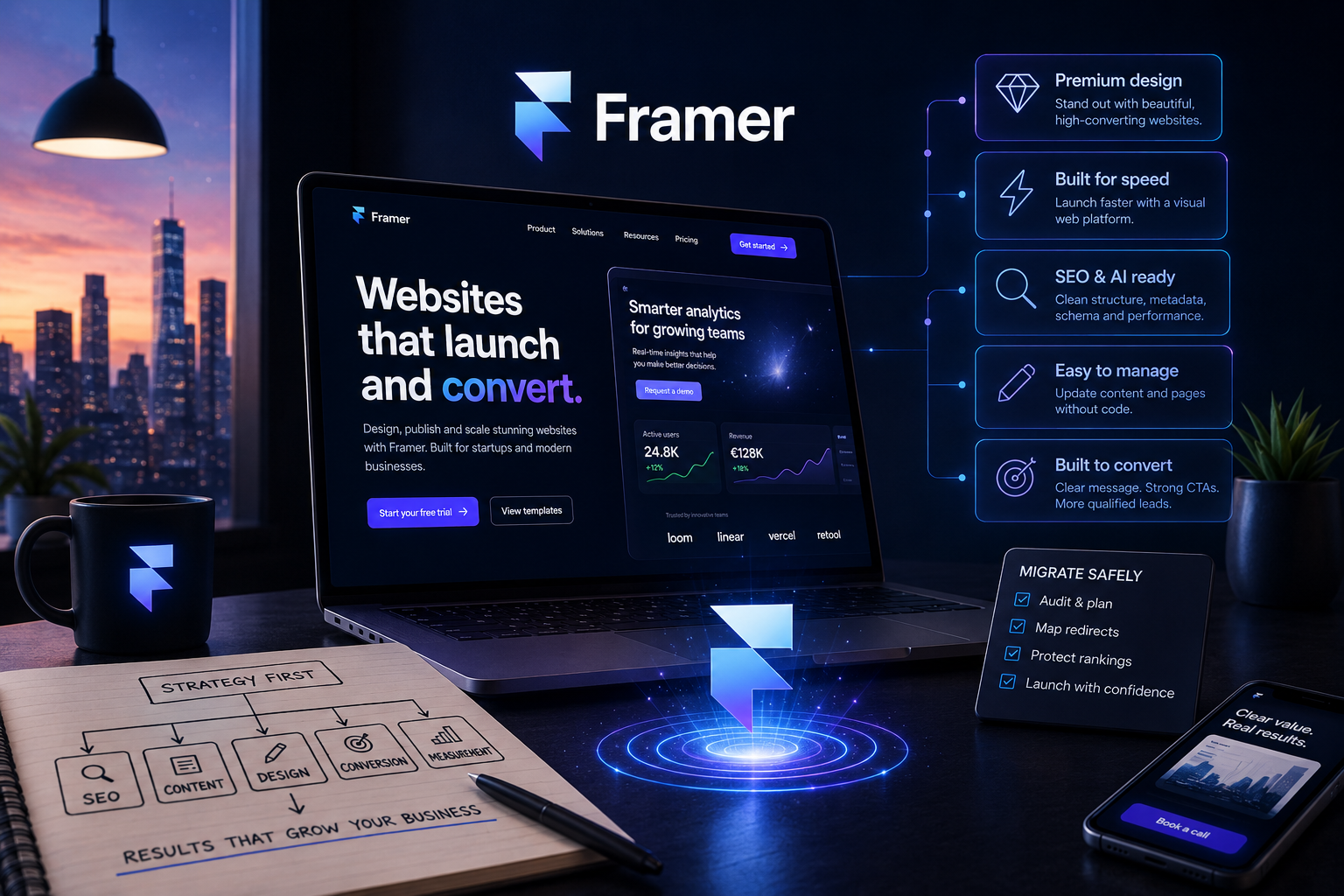
Framer website design is the process of building a modern business website in Framer, a visual website platform used by startups, SaaS companies and B2B service businesses. Teams choose Framer when they want a premium website that launches quickly, looks sharp and is easier to update than a traditional custom build.
A strong Framer website should make your company look credible, explain your offer quickly and help qualified visitors take the next step. This guide explains when Framer is the right choice, how Framer SEO works, what it costs, how to migrate safely and when to hire a specialist agency.
Written by Barry Roodnat, co-founder of WE-Optimizz. Last updated April 29, 2026.
Quick answer: Framer website design is best for startups, SaaS companies and B2B service businesses that need a premium marketing website, fast launch speed and clear conversion pages. It is less suitable for complex e-commerce, large publishing operations or custom backend-heavy platforms.
Platform fit: Choose Framer for polished marketing pages, WordPress for publishing depth, Webflow for advanced visual systems and Wix Studio for broader built-in business functionality.
Important: Framer is not automatically better than WordPress, Webflow or Wix Studio. It is the right choice when marketing speed, visual quality and landing pages matter more than complex publishing, e-commerce logic or custom backend workflows.
WE-Optimizz reviews website projects without starting from a preferred platform. We look at SEO, AI visibility, conversion goals, migration risk and internal workflow before recommending Framer, Wix Studio, WordPress or Shopify.
Get a free website visibility scan
Start with a free website scan to identify what may be holding your website back in Google and AI search. If you are planning a Framer redesign or migration, you can then ask WE-Optimizz for platform-neutral advice on platform fit, URL risks and next-step priorities.
You’ll get:
A check of on-page SEO signals and visibility opportunities.
A look at Google visibility and AI citation presence.
A practical next-step recommendation.
After the scan, you can decide whether to improve your current site, redesign in Framer or compare another platform first.
No obligation. No platform lock-in. Useful before choosing Framer, Webflow, WordPress or Wix Studio.
What is Framer website design and when should you use it?
Framer is a strong fit when your website needs to look credible quickly and turn visitors into leads without a long custom development cycle. It works especially well for startups, SaaS companies, consultants and B2B service brands that need clear positioning, strong landing pages and a premium first impression.
Framer lets teams design and publish responsive websites in one visual environment. That makes Framer useful when marketing speed and brand quality matter more than custom backend features.
Use Framer when your website needs:
A premium first impression.
Clear startup or B2B positioning.
Fast campaign or product launch pages.
SaaS feature, service or comparison pages.
A CMS for posts, resources or case studies.
Before you design a Framer page, decide what the visitor needs to understand, trust and do next. That keeps the website focused on useful action, not just visuals.
For a broader introduction, read our related guide on what Framer is, or explore our SEO-first web design services if you are comparing Framer with Wix Studio, WordPress or Shopify.
Is Framer good for SEO?
Direct answer: Framer is SEO-friendly when pages are crawlable, metadata is unique, redirects are mapped, internal links are clear and schema is added where relevant. The platform provides useful SEO controls, but ranking depends on strategy, content quality and implementation.
Framer gives you useful SEO controls, but it does not replace strategy, strong copy or clear page planning.
A search-friendly Framer website should include:
Unique SEO titles and meta descriptions.
Clean, readable URLs.
One clear H1 per page.
Helpful H2 sections that match search intent.
Crawlable page content.
Internal links between services, posts and conversion pages.
JSON-LD schema where relevant.
J
SON-LD is a schema format that helps search engines understand page content. Framer’s official SEO documentation confirms support for SEO markup controls, indexing rules, redirects, sitemap.xml and robots.txt. Framer also documents structured data through JSON-LD.
Google PageSpeed Insights and Google Search Central guidance are useful for checking performance, crawlability and technical SEO before and after launch. Google crawlable links guidance also explains that links should be easy for search engines to discover and understand.
In practice, the biggest Framer mistakes happen before design starts: unclear page goals, missing URL planning, weak copy, no redirect map and CTAs that are not tracked.
For deeper optimization, read our Framer SEO guide, or explore our SEO and GEO strategy if you want your website to be easier to find in Google and AI answers.
How we evaluate a Framer website
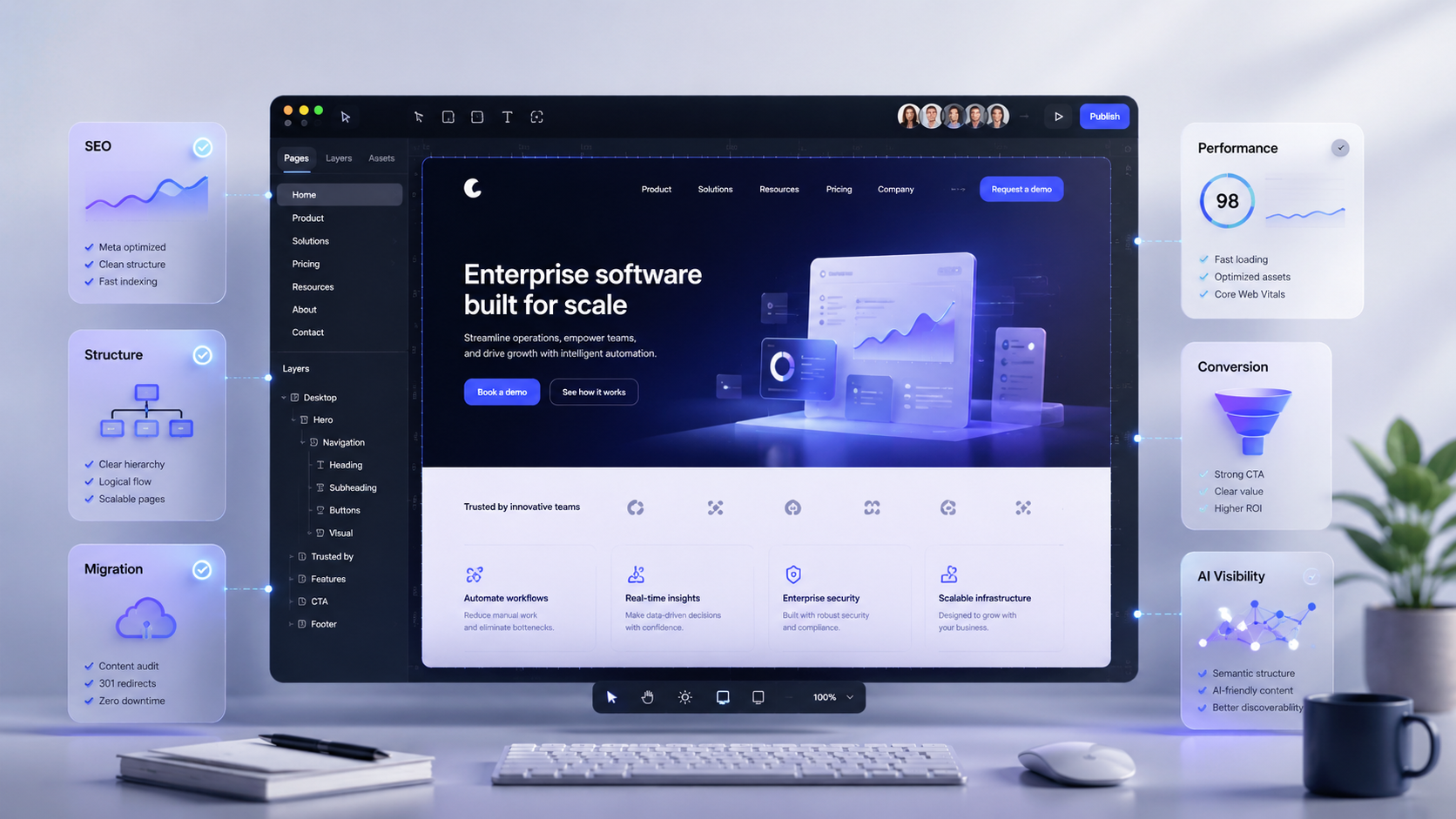
When WE-Optimizz reviews a Framer website, we look beyond visual design. A website is evaluated on whether search engines can crawl it, visitors can understand it and leads can be measured.
A typical Framer review covers five areas:
Crawlability: indexation, sitemap, robots settings, internal links and page structure.
Content structure: headings, search intent, page depth, entity clarity and internal linking.
Migration risk: URL changes, redirect mapping, metadata migration and Search Console checks.
Conversion flow: CTA placement, page goals, forms, tracking and enquiry paths.
AI visibility: structured answers, schema, brand entities, comparison content and crawlable expert content.
Example: a Framer service page is easier for AI systems to interpret when it clearly states who the company helps, what service it provides, which alternatives exist and what proof supports the recommendation.
This helps show whether a Framer website is ready to be crawled, understood, measured and improved before a redesign or migration goes live.
How much does a Framer website cost?
Cost drivers: The cost of a Framer website includes the Framer subscription plus project work such as strategy, design, copywriting, SEO, CMS setup, migration and tracking.
Framer pricing has two layers. The first is the Framer subscription. The second is the professional website project cost.
Always check Framer’s official pricing page before choosing a plan, because plan names, limits and features can change. Framer currently presents plan options including Free, Basic, Pro, Scale and Enterprise.
A professional Framer website project can include:
Website strategy and UX planning.
Visual design and copywriting.
SEO setup and schema.
CMS setup.
Migration planning and redirect mapping.
Analytics and conversion tracking.
Typical professional Framer website cost: as a non-binding project indication, a focused Framer landing page often starts around €1,500–€3,500, while a full B2B Framer website with strategy, copywriting, SEO setup, CMS structure and migration often ranges from €4,000–€12,000+. Final pricing depends on page count, content depth, migration risk, integrations, tracking needs and delivery timeline.
If you need help estimating scope, migration risk or platform fit, WE-Optimizz can review your current website before you commit to a Framer build.
Ask for a Framer website estimate
Share your page count, migration needs and SEO goals. WE-Optimizz will recommend the right scope before you commit to a Framer build.
You do not need a finished brief. Page count, current URL and business goals are enough to start.
Platform-neutral advice before you choose Framer, Webflow, WordPress or Wix Studio.
Ask for a Framer website estimate
For a deeper cost breakdown, read our Framer pricing guide, or explore website design built for visibility.
Framer vs Wix Studio, WordPress and Webflow
Framer is best compared with Wix Studio, WordPress and Webflow based on use case, not popularity. Framer is strongest for design-led startup websites and landing pages, while WordPress is stronger for large content libraries, Webflow for advanced visual systems and Wix Studio for broad business functionality.
Choosing the wrong platform usually does not hurt on launch day. It hurts later, when content becomes hard to manage, SEO pages cannot scale or the team needs functionality the platform was never meant to handle.
Platform comparison
Framer
Best for: design-led websites, startups, SaaS sites, landing pages and premium brand experiences.Less ideal for: complex backend systems or heavy publishing workflows.
Wix Studio
Best for: flexible business websites, fast builds, easy management and broad functionality.Less ideal for: highly custom publishing systems or advanced custom logic.
WordPress
Best for: content-heavy websites, blogs, advanced publishing and large editorial libraries.Less ideal for: teams that want low-maintenance simplicity.
Webflow
Best for: advanced visual development, design systems and technical marketing sites.Less ideal for: non-technical teams that need very simple content management.
Decision rule: Choose Framer for speed and premium marketing pages. Choose WordPress for publishing depth. Choose Webflow for advanced visual systems. Choose Wix Studio for broad functionality and easy business management.
Do not choose Framer if your website depends on complex product logic, advanced publishing workflows, custom backend features or thousands of editorial pages. In those cases, WordPress, Shopify or a custom setup may be safer.
At WE-Optimizz, we do not lock clients into one platform. We help businesses choose between Framer, Wix Studio, WordPress and Shopify based on goals, budget, SEO requirements and growth stage.
Read our related comparisons for Framer vs Webflow, Framer vs WordPress and Framer vs Wix Studio, or explore conversion-focused web design.
How do you migrate to Framer without losing SEO?
Migration risk: A Framer migration should protect existing rankings before improving design. The biggest risks are changed URLs, missing redirects, lost metadata, removed content, broken internal links and untested tracking.
A redesign can damage organic traffic when high-performing pages disappear or move without a redirect. Redirects are rules that send old URLs to new URLs. Framer’s redirect documentation explains that redirects route traffic from an old URL to a new one and are essential when migrating a website to Framer.
A safe Framer migration should include:
A crawl of your current website.
A list of ranking URLs.
A redirect map.
Metadata migration.
Internal link updates.
Schema implementation.
Google Search Console checks.
Ranking and traffic monitoring after launch.
Example migration scenario: A B2B consultancy moving from WordPress to Framer should first export all ranking URLs, map redirects, rebuild service pages around search intent and validate the new sitemap in Google Search Console. This protects existing traffic while improving design, messaging and conversion tracking.
Before changing URLs or redesigning pages, review your key URLs, rankings, metadata and redirect risks. Use this before you change URLs, restructure content or move platforms.
Read our Framer migration guide, or compare specific migration paths in WordPress to Framer migration and Wix to Framer migration.
What should you check before launching a Framer website?
A Framer website should be checked before launch for metadata, redirects, indexing, schema, performance, internal links and conversion tracking. This helps prevent the most common redesign problem: launching a better-looking website that ranks worse or converts poorly.
Framer website launch checklist
Metadata per page:
helps Google understand the purpose of each URL.
One clear H1 per page:
improves page focus and search intent clarity.
Redirect map:
prevents traffic loss during migration.
Sitemap submitted:
helps search engines discover important pages.
Robots and indexing checked:
prevents accidental noindex or crawl issues.
Schema added:
improves machine understanding of the page.
Internal links reviewed:
helps users and crawlers move between related pages.
Images compressed and named clearly:
supports performance and accessibility.
PageSpeed tested:
reveals mobile and desktop performance issues.
CTA tracking configured:
shows which pages generate leads.
Google crawlable links guidance explains that crawlable links help Google discover pages and that clear anchor text helps both people and Google understand linked content.
Before launch, check the full user journey from homepage to scan, contact form or booking form. A website is not ready when it only looks finished. It is ready when search engines can crawl it, users can understand it and leads can be measured.
Do not launch a Framer migration without checking redirects, metadata, Search Console, sitemap, internal links and tracking. These are the areas most likely to damage SEO during a redesign.
About the author
This guide is written by Barry Roodnat, co-founder of WE-Optimizz, a Belgium-based web design, SEO and AI visibility agency working across Wix Studio, Framer, WordPress and Shopify. WE-Optimizz helps startups, SaaS companies and B2B service businesses plan websites around platform fit, migration safety and qualified enquiries.
At the time this article was last updated, WE-Optimizz’s Wix Marketplace profile showed a 4.9/5 rating, 96 reviews, 299 completed projects, Developer and Accessibility certifications, and Semrush-certified SEO specialists.
The recommendations are based on WE-Optimizz’s website planning methodology and official Framer and Google documentation on SEO, crawlability, redirects, pricing and performance.
Reviewed by: WE-Optimizz SEO & GEO Team
Last updated: April 29, 2026
Editorial focus: Framer website design, SEO, AI visibility, migration risk, platform fit and conversion strategy.
Why hire WE-Optimizz for Framer website design?
Hire WE-Optimizz for Framer website design when you want a website built around visibility, clarity and the right enquiries. We combine design, SEO, AI visibility, migration planning, structured data, page speed checks and conversion strategy before the site goes live.
A Framer website can look impressive and still fail commercially. That usually happens when SEO, content structure, tracking and conversion paths are added too late.
A good Framer agency should help with more than layout: it should protect SEO value, clarify messaging, plan redirects and make conversion paths measurable.
Before design starts, WE-Optimizz maps the pages, keywords, URLs, CTAs and tracking your Framer site needs to perform.
We help clarify:
Which platform fits your business goals.
Which pages should be built first.
Which URLs must be protected.
Which keywords and topics matter.
Which CTAs should be tracked.
AI visibility, also known as generative engine optimization, means structuring content so answer engines can understand, summarize and cite it. That is why a Framer website should be built with clear entities, direct answers, internal links, schema and expert-led content.
Why trust WE-Optimizz
WE-Optimizz works across Framer, Wix Studio, WordPress and Shopify, which makes the advice platform-neutral instead of tool-biased. That matters because the best website platform depends on your content needs, SEO goals, budget, internal workflow and conversion path - not on which tool is currently popular.
The goal is simple: your website should be easy to find, easy to understand and clear enough for the right visitor to make contact.
Not sure Framer is the right choice?
Get platform-neutral advice on whether Framer, Webflow, WordPress, Shopify or Wix Studio best fits your business goals, budget, content needs and SEO requirements.
Ask for a platform recommendation
FAQ about Framer website design and SEO
Is Framer good for SEO?
Framer is good for SEO when metadata, headings, URLs, redirects, structured data, internal links and page speed are configured correctly, making it useful for modern business websites.
How much does a Framer website cost?
A Framer website cost includes the platform subscription plus project work such as strategy, design, copywriting, SEO, CMS setup, migration and tracking.
Is Framer better than Webflow?
Framer is often better for fast, design-led startup websites and landing pages, while Webflow can suit advanced design systems, technical marketing sites and teams with more development experience.
Can I migrate from WordPress to Framer?
You can migrate from WordPress to Framer, but URL mapping, redirects, metadata migration, content checks and Search Console validation are needed to protect SEO traffic.
Can I migrate from Wix to Framer?
A Wix to Framer migration is possible when pages, URLs, metadata, images, internal links and redirects are planned before launch.
Is Framer good for startups?
Framer is strong for startups because it supports fast launches, polished landing pages, CMS content and conversion-focused storytelling without a long custom development cycle.
Do I need a Framer agency?
A Framer agency is useful when your website needs more than visual design, such as SEO planning, migration protection, structured data, conversion copy, tracking and platform advice.
Can a Framer website appear in AI search results?
A Framer website can appear in AI search results when its content is crawlable, clearly structured, specific, internally linked and supported by schema, entities and expert answer blocks.
Websites that
launch and convert.
We build Framer sites that rank, load fast, and turn visitors into clients. Strategy first. Design second. Results always.
Is a Framer website right for your business?
Framer website design is worth considering when your business needs a premium look, fast execution and a structure that supports SEO, AI visibility and lead generation. It is strongest for startups, SaaS companies, consultants, B2B service businesses, creative brands and growing companies.
It is less ideal for complex e-commerce, large publishing systems and custom backend-heavy platforms.
Final recommendation:
Choose Framer if your business needs a premium marketing website, fast launch speed and strong landing pages. Choose another platform if your website depends on complex publishing, e-commerce logic or backend workflows.
The safest Framer projects start with search strategy, then move into design, copy, redirects, schema and tracking. Before you rebuild in Framer, check whether your current site has ranking, crawlability, schema, speed or conversion issues.
Before you rebuild in Framer, check your risks
Start with a free website scan to identify SEO, crawlability and AI visibility issues before you redesign or move platforms.
No obligation. No platform lock-in. You receive a practical next-step recommendation.
Explore professional web design services.